Plan. Delegate. Ship.
The AI-native IDE that runs your whole project — plan it, build it in parallel, review it, and ship it, all in one place.
Built from day one to work with AI as a team — whether that team is just you, or twenty.
Collaborative from line one.
Trinity didn't add AI to an editor, and it didn't add collaboration to a tool. It started with one question — how do you build something genuinely complex with AI, together? Planning as a team. Executing loops as a team. That collaborative core is the backbone everything else grows from.
And it's exactly what makes Trinity so powerful on your own: even solo, you're working with a team — your agents plan, build, review, and remember alongside you. Bring real people in whenever you want, and the same loop just gets more hands on it.
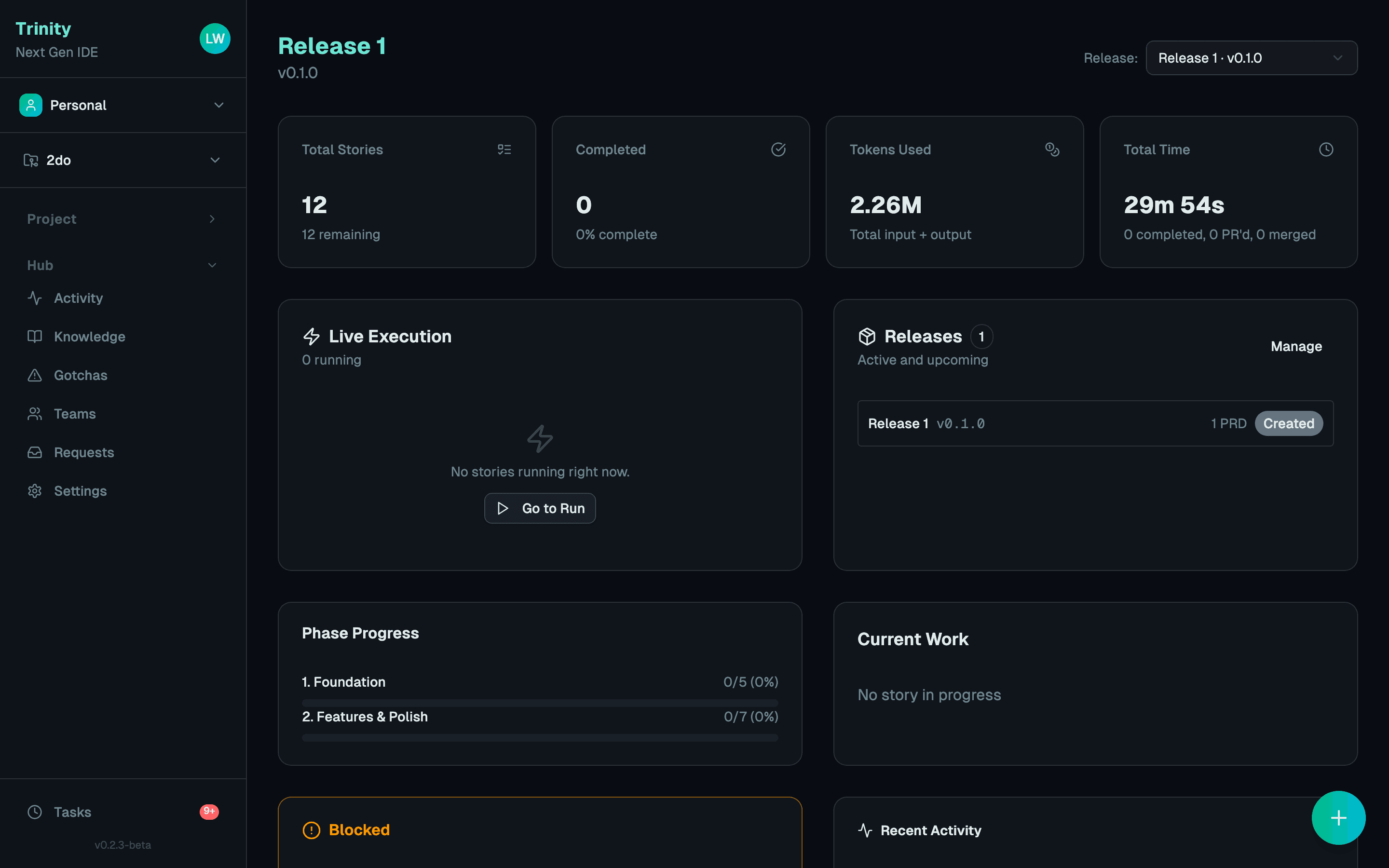
One living plan
PRDs, stories, dependencies, and phases you — and anyone you invite — build from. A plan you talk to, not tickets scattered across another tool.
A fleet that does the work
A 4-agent pipeline executes your stories in parallel, each in its own isolated git worktree. A team of agents, from day one.
Everything is connected
Plan → build → review → ship → learn. Every agent knows the plan. Every review knows the intent.
Memory that compounds
Every decision, merge, and lesson feeds the next — for you and everyone you work with. Nothing starts from zero.
Trinity started with a coding loop that could build, but couldn't steer. The story of why we built it →
How It Works
Other tools help you write code. Trinity ships entire features.
Describe
Tell the Architect what you want to build, then answer its questions one at a time — targets, stack, structure, and more. No form to fill out, just a conversation — or import an existing codebase for AI analysis.
You: "Build a SaaS billing
system with Stripe, usage
tracking, and team subs"

Architect: What are you building —
a web app, an API, or both?

You: A web app with an API backend

Architect: Got it. What's your
preferred stack for the API?
Plan
A 5-phase AI pipeline breaks your idea into structured stories with dependency graphs: Architect → Story Writer → Dependency Mapper → Package Mapper → Calibrator.
Phase 1: Core Infrastructure
  Epic 1.1: Auth System
    → Story 1.1.1: User model
    → Story 1.1.2: JWT auth
  Epic 1.2: Billing
    → Story 1.2.1: Stripe setup
↳ depends on 1.1.2Execute
Up to 5 workers execute stories in parallel through a 4-agent pipeline: Analyst → Implementer → Auditor → Documenter. Each in its own git worktree.
Workers: 3/5 active

[W1] Story 1.1.2 → Auditor ●
[W2] Story 1.2.1 → Impl    ●
[W3] Story 1.1.3 → Analyst ●
[W4] idle
[W5] idle
Ship
PRs are created automatically with full documentation. Checkpoint releases with semver tagging. Optional auto-merge. Every merge, release, and agent decision is permanently recorded — building compound project history that survives any session.
PRs ready for review:
  #42 feat(auth): JWT auth  ✓
  #43 feat(billing): Stripe ✓

Release v0.2.0 tagged
  3 stories shipped
  0 issues found
A truly integrated development environment
The things Trinity does that nothing else does.
Architect — Plans, in plain English
Architect is how all planning happens in Trinity. Describe what you want to build and it drafts a full PRD — phases, epics, stories, dependency graph. Describe a change — "add user profiles," "split this monolith," "drop the quarterly reports epic" — and it reshapes the work atomically, respecting whatever is already running. Plans stop being static documents and start being living objects you talk to.
Design — A system that survives implementation
Trinity settles a design system with you before it writes any code — palette, typography, density, shape, elevation, and motion, each proposed as a live preview you can adjust. From that system it builds a real clickable prototype: several pages, actual interactions, your own fonts, previewed at phone, tablet, and desktop sizes. The same tokens then ride into every generated story, so what ships writes to named theme roles instead of drifting into one-off colors. Share any prototype as a link when you need a second opinion.
Parallel by default — a fleet per teammate, per project
Up to five agents at once — per person, per project — each working a different story in its own isolated git worktree, scheduled along your dependency graph. Every teammate brings their own five, every project gets its own fleet, and each agent can spin up sub-agents of its own, so the work fans out far past five. When two touch the same code, a dedicated resolver merges them intelligently — across one repo or many: GitHub, GitLab, Bitbucket, and Forgejo alike.
Review — Catch issues before they ship
Ask the Architect to review your codebase from multiple perspectives — architecture, security, performance, and pattern issues — and it turns the findings into fix stories right in your plan. Diagnostics stop living in a report nobody reads and start getting shipped.
Compound memory — Every run makes the next one smarter
Every PRD is planned against everything before it — each story that shipped, each attempt that failed and why. Review findings carry forward as fix stories, and recaps keep a permanent journal of what landed. Trinity remembers what the last run learned, and the agents actually consult it during planning.
Accessible by default — in everything it builds
Accessibility is a baseline in Trinity, not an afterthought. Its agents build it into every interface and verify it before shipping — keyboard navigation, visible focus, screen-reader labels, and WCAG-grade contrast and touch targets, across web, mobile, desktop, and CLI. The apps you deliver work for everyone.
Your keys. Your models.
Bring your own API keys and pay providers directly — ten of them, including local models via Ollama, so your code can stay on your machine. No opaque credit meter: Trinity shows you real engineering cost, like cost per merged story, broken down by project, release, and teammate.
Two Pipelines, One System
Stories and checkpoints each run through their own specialized multi-agent pipeline — every agent has a specific job, creating review loops that catch what single-shot generation misses.
Analyst
- Read story requirements
- Analyze codebase context
- Create implementation plan
- Identify risks & dependencies
Implementer
- Execute the implementation plan
- Write code across files
- Run tests & fix failures
- Handle Docker services
Auditor
- Full code review
- Check against requirements
- Generate fix stories if needed
- Verify quality standards
Documenter
- Document each package it touched
- Check docs against the standard
- Commit docs with the code
- Record deferred work
The design you approve is what the code writes to.
Trinity settles a design system with you before a line of code exists — palette, typography, density, shape, elevation, motion — each one previewed on the real thing as you pick it. It builds a clickable prototype from those tokens, then carries both into the story an agent implements: the tokens to write against, and the approved prototype as a reference to match.
The system
Settled with you
- palette
- role → oklch, light + dark
- PrimarySecondaryAccentGroundSurfaceForeground
Muted — captions, metadata and helper text.
BorderRingdangerwarningsuccessinfoThe same Colour sheet the app shows you, from the same tokens: every role drawn as what it is — a fill as a fill, a border as a line, muted as the text it sets — and each fill captioned in the colour that pairs with it, so the swatch proves its own contrast. Every role carries a light and a dark value, and the sheet paints whichever one the page is set to. A system can hold several named themes, each with its own pair.
- type
- display · body · mono
- displayShip what you signed offbodyThree roles, paired once, applied everywhere.mono--primary: oklch(0.35 0.1 260);
- density
- single-select · live preview
- CompactComfortableSpacious
- shape
- single-select · live preview
- SharpSubtleRoundedPill
- elevation
- single-select · live preview
- FlatSoftDeep
- motion
- single-select · live preview
- NoneRestrainedSmoothExpressive
“Dense and calm. Keyboard-first. Nothing decorative that isn’t load-bearing.”
Prototype
Built from the system
Not a picture: several pages that link to each other, live interactions, and your own fonts and palette — previewed at phone, tablet, and desktop size.
Generated code
Written against the system
:root {
  --primary: oklch(0.35 0.1 260);
  --on-primary: oklch(0.98 0.005 260);
  --radius-lg: var(--radius);
  --duration-base: 200ms;
  --ease-standard: cubic-bezier(0.4, 0, 0.2, 1);
}

.checkout-button {
  background: var(--primary);
  color: var(--on-primary);
  border-radius: var(--radius-lg);
  transition: background var(--duration-base) var(--ease-standard);
}
Every story carries this alongside the prototype it’s linked to. The agent lays the tokens down once as a theme layer and matches the prototype’s layout and feel, so your app ships named roles instead of one-off colours scattered per component.
Live from our private repo
We ship. A lot.
Trinity is in beta — but we're building at full speed. These numbers are pulled straight from our GitHub repo, updated daily.
Trinity is in closed beta
Access is by application, and it's free for as long as the beta runs. Testers pay in bug reports instead.
What you get
Free access
Complimentary for the whole run of the beta. No card, and no trial clock counting down.
Bugs that get fixed
Every report is read. The ones we ship come back to you as applied on the leaderboard.
A place on the leaderboard
A useful report scores a point. One we apply scores three.
What we ask
Bug reports, as you hit them
Filed from the run that hit the bug, not from memory a day later.
Agents that report too
Beta accounts keep agent bug reporting on, so an agent can flag a defect mid-run.
Patience with rough edges
It's a beta. Things break — we'd rather hear about it than have you work around it.
Two steps — your email, then what you'd build with it.
Frequently asked questions
Everything you need to know about Trinity
Ready to see what an IDE can really do?
Trinity is in closed beta. Apply for a seat — it's free for as long as the beta runs.
Already approved? Download for macOS and Linux